


Solitaire - Classic Card Games
4.511.81K Reviews
App Specs
- Version
- 3.9.9.9.9.9.9
- Updated On
- License
- Free
- Downloads
- 50,000,000+
- Developer
- nerByte GmbH
- Categories
- Card
- Platform
- Android, iOS
Screenshots
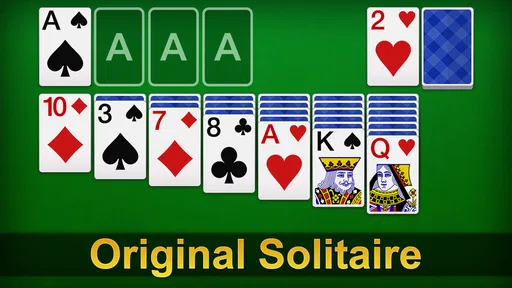
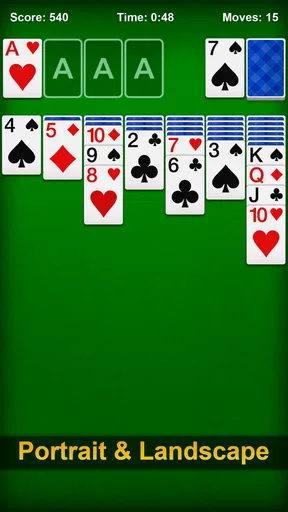
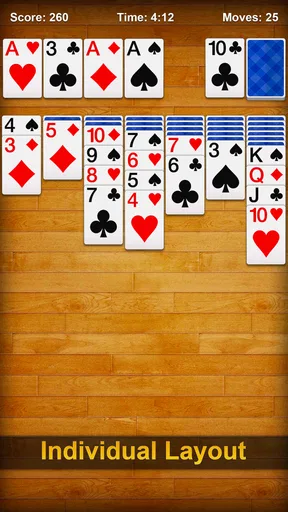
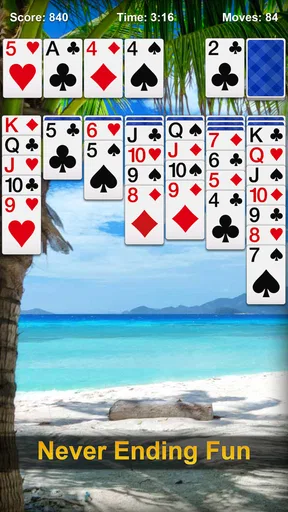
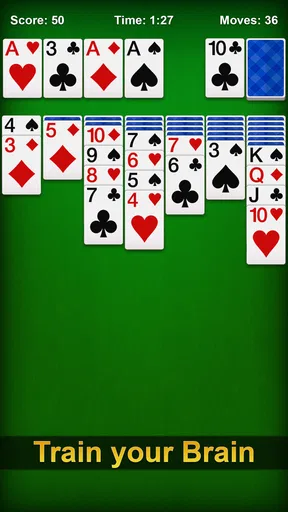

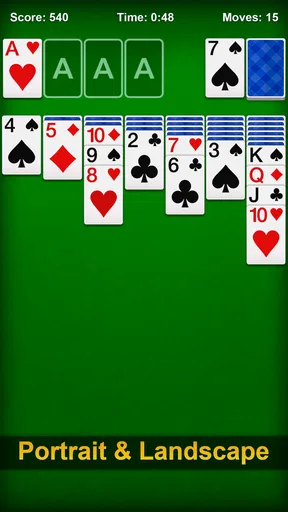
 Analysis by AppCompare
Hey there, card game enthusiasts! If you're anything like me, you've probably spent countless hours shuffling and dealing cards in the classic game of Solitaire - Classic Card Games. This app promises to bring the traditional card game experience right to your mobile device, and let me tell you, it doesn’t disappoint. Whether you're a seasoned pro or just looking to kill some time, this app has something to offer for everyone.
The first few games are easy to settle into
Solitaire - Classic Card Games is perfect for those moments when you need a quick brain break or a way to pass the time. What I love most is how intuitive it is. You don’t need to be a tech wizard to get started. Just open the app, and you’re greeted with a clean, simple interface that even your grandma could navigate. The cards are easy to see, and the game play is smooth as butter.
One of the first things I noticed was the attention to detail in the design. The developers have done a fantastic job replicating the feel of a real deck of cards. The sound effects of shuffling and dealing add a nice touch, making it feel like you're sitting at a card table. And for those of us who enjoy a bit of customization, you can change the card backs and backgrounds to suit your mood. Fancy a beach scene while you play? You got it!
What keeps a simple card game in rotation
Solitaire works best in small, natural gaps in the day: waiting for a kettle, sitting through a quiet commute, or taking a short pause between tasks. I like that a game has a clear focus. I can look at the tableau, make a few decisions, and put the phone down when the moment is over. That is a better fit for a quick reset than a game that expects me to remember a long quest or keep track of a team.
It also suits people who enjoy a gentle puzzle but do not want every session to feel like a test. A useful habit is to pause before using a hint and scan the columns for a move that reveals a face-down card. That small check can teach you to spot useful sequences rather than tapping through options automatically. When I want more deliberate practice, I try to notice whether a move opens space or simply shifts cards around; that distinction is often more useful than chasing a quick finish.
Features Galore
Now, let's talk features. The app isn't just about dragging and dropping cards. It's packed with nifty features that enhance the gaming experience. For starters, there's an "undo" button for those oops moments. Trust me, it’s a lifesaver when you realize you've just moved the wrong card. And if you’re stuck, there’s a handy hint option to nudge you in the right direction.
For those who like a bit of a challenge, the app offers daily challenges that are both fun and rewarding. Completing these can earn you trophies and keep you coming back for more. The daily challenges are a great way to keep the game fresh and engaging, and they definitely add a layer of excitement to the classic game.
Worth Reading Before You Choose

Baby Panda World Brings Quick Play to Modern Phones, but Its Game Library Feels Busy

ESPN’s Live Game View Makes Following Close Games Easier

QuizzLand Review: A Good Fit for Short Trivia Breaks, Not Every Player

Basketball Stars: Multiplayer Is Fast, but Can It Recover When Matches Go Wrong?

WEBTOON Turns Phone Updates Into a Better Reading Routine

Link to Windows Runs on Shared Habits, Not Social Feeds
Value beyond the novelty
The daily format gives me a reason to return without making every visit feel like a commitment. I can treat a challenge as a small routine, or ignore it when I would rather play at my own pace. That flexibility matters over time: a daily prompt is a nudge, not a schedule I need to obey. If trophies motivate you, they add a modest target; if they do not, the underlying card puzzle remains the main event.
Compared with a physical deck, the app removes setup and cleanup, and undo makes experimentation less punishing. Compared with a more elaborate mobile game, it asks for less attention and has no story or complicated system to learn. The trade-off is that the familiar rules are also the main attraction. If you need changing mechanics, narrative surprises, or a strong multiplayer focus to stay interested, this is unlikely to replace those games.
Performance and Accessibility
Let’s dive into the technical side of things. The app performs beautifully across both Android and iOS platforms. It doesn’t hog too much space on your device, and I’ve yet to encounter any bugs or crashes. Plus, the battery consumption is pretty low, so you can play for hours without draining your phone.
I also appreciate that the app is accessible for everyone. There’s a helpful tutorial for beginners, and you can adjust the difficulty level to match your skill. Whether you want a relaxing game or a challenging puzzle, the app caters to all preferences.
Small habits that prevent frustration
One practical way to get more from the undo and hint tools is to use them for different jobs. I reserve undo for correcting a mis-tap or testing a move whose consequences I want to understand, rather than treating it as a way to erase every imperfect choice. Hints are better as a prompt when I have genuinely lost track of possible moves. Used that way, they help keep a casual round flowing while still leaving the decisions to me.
For a beginner, the tutorial and adjustable difficulty make the game approachable, but I would still recommend taking time to learn why a move helps. Moving a card just because it is available can leave a column less useful later. For an experienced player, the appeal is different: the familiar layout makes it easy to focus on planning and small improvements without needing a lengthy warm-up. This is a good fit for a lunch break or a quiet moment at home; it is less suitable if you want a game built around active collaboration or head-to-head turns.
Where the routine can wear thin
Solitaire’s restraint is both its strength and its limit. A daily challenge can give a regular player a fresh reason to open the app, but the basic rhythm remains sorting cards and uncovering options. If that loop is already tired for you, trophies and a leaderboard may not be enough to renew it. I would not force a daily streak into my routine; the game is more enjoyable when I open it because I want a short puzzle, not because I feel behind.
There is also a small attention trade-off in playing on a phone. Card faces are clear, but a smaller screen can make the tableau feel cramped, especially if you prefer to study several columns before moving. If a card is hard to distinguish at a glance, slowing down and checking the suit before tapping is worth it. Someone who values the tactile feel of handling a real deck may also prefer physical cards; the app’s sound and visual presentation evoke that experience, but do not fully reproduce it.
Social play without a full multiplayer game
If you're the competitive type, you'll be pleased to know that Solitaire - Classic Card Games includes a leaderboard feature. You can compete against players from around the world and even your friends. It’s a nice touch that adds a social element to the game. Nothing like a bit of friendly competition to boost the fun!
Although the app is primarily single-player, the leaderboard and achievements make you feel connected to a larger community of players. It’s great to see where you stand and strive to improve your ranking.
Who should keep it installed
nerByte GmbH’s card game is free to download, is rated for Everyone, and has a 4.6 average from around 418,000 ratings, alongside roughly 12,000 written reviews. It has passed 10 million installs, which makes it a familiar choice for people looking for a straightforward mobile Solitaire game. The release date is November 24, 2020, and the current version is 3.9.9.9.9.9.4; Android users need version 6.0 or later. In-app purchases are listed at $9.49 per item, so I would check the purchase details before paying and treat the free game as the sensible starting point.
For a realistic everyday use, I can see myself opening it while waiting for an appointment, playing one round, and closing it when my name is called. That is where quick access and a familiar ruleset matter more than a long-term progression system. If you want to know whether you can play casually without spending, the game is free to start; just keep purchases in mind if you explore optional paid items. If you are choosing between this and another Solitaire app, compare the card readability, controls, and extras you actually use rather than assuming every version handles the same way.
Final Thoughts
In summary, Solitaire - Classic Card Games is a fantastic app that brings a beloved classic to the digital age with style and ease. It’s perfect for casual gamers, busy folks needing a quick diversion, and hardcore card sharks alike. The app delivers everything you’d expect from a great card game and more. With its user-friendly interface, fun features, and social elements, it’s a must-have for your mobile game collection. So, what are you waiting for? Give it a try and let the card shuffling begin!
My long-term verdict
After the first-week novelty fades, I think this earns space on a phone if Solitaire is already a game you return to for a calm, self-contained challenge. Its strongest recurring value is convenience: a familiar card puzzle is ready when a spare moment appears, while the tutorial, hints, undo, daily challenges, and leaderboard offer different levels of guidance or motivation. I would keep it as an easy option rather than make it a daily obligation.
I would skip it if I were looking for a deep campaign, frequent changes to the core play, or meaningful multiplayer interaction. For those needs, another kind of card or puzzle game is a better match; for hands-on card play, a physical deck still wins. But when I want a simple round that asks me to think without demanding a big block of time, this app does that job well. Its lasting appeal depends less on novelty than on whether that small pause-and-play ritual is one you genuinely enjoy.
Pros
- Smooth and intuitive controls.
- Variety of solitaire game modes.
- Offline play available.
- Minimal ads enhance gameplay.
- Customizable card designs.
Cons
- Limited daily challenges.
- Occasional in-app purchase prompts.
- Simple graphics may not appeal to all.
- No multiplayer mode.
- Background music can be repetitive.
FAQs for Solitaire - Classic Card Games
What is Solitaire - Classic Card Games?
Solitaire - Classic Card Games is a digital version of the classic card game that many are familiar with. It offers a simple, yet engaging single-player experience where players aim to sort cards into specific piles. The app is designed for both Android and iOS, providing a smooth and enjoyable gaming experience with customizable themes and difficulty levels.
Is Solitaire - Classic Card Games free to play?
Yes, Solitaire - Classic Card Games is free to download and play. However, it may include in-app purchases and ads. These optional purchases can enhance gameplay by removing ads or unlocking special themes and features. Make sure to check if these extras are something you’d like to invest in before downloading.
Does the app require an internet connection to play?
No, Solitaire - Classic Card Games can be played offline, making it a perfect choice for those who want to enjoy their favorite card game without needing an internet connection. This feature is particularly useful for travel or any situation where connectivity might be limited.
What features does Solitaire - Classic Card Games offer?
The app offers a range of features to enhance your gameplay, including customizable card designs, multiple difficulty levels, daily challenges, and leaderboard support. It also provides smooth animations and intuitive controls, making it accessible for both beginners and experienced players alike.
Are there any accessibility options available in the app?
Yes, Solitaire - Classic Card Games includes several accessibility options to accommodate a wider range of players. These may include adjustable text sizes, color schemes for better visibility, and simplified controls. Ensure to check the settings within the app to customize your experience according to your needs.


